
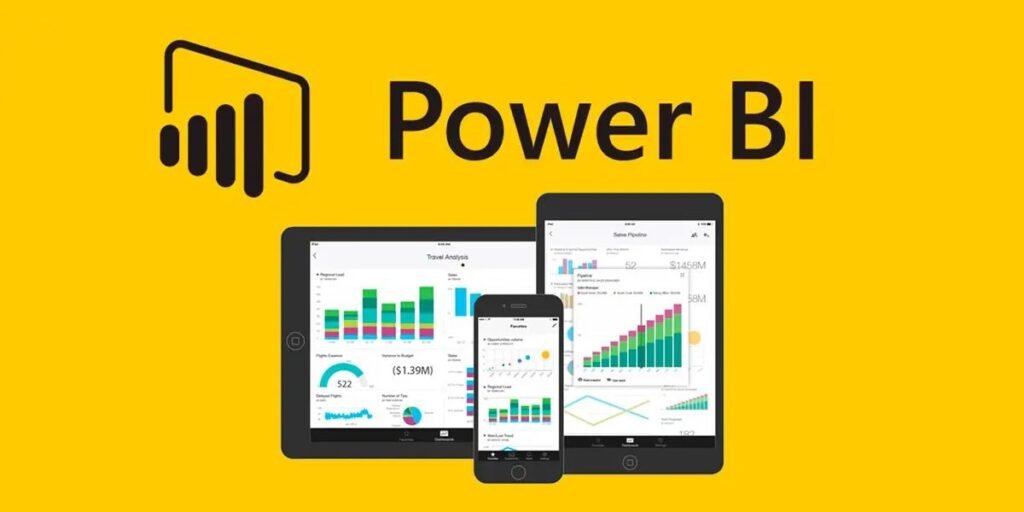
Power BI has established itself as a leading tool in the field of Business Intelligence in recent years. With a market share of over 36%, it is the most widely used BI tool worldwide and is utilized by a large number of major companies. A key reason for this success is its seamless integration into the Microsoft environment, which enables companies to quickly and efficiently analyze and visualize data from various sources.
Over 67% of the global workforce now has access to BI tools like Power BI, highlighting the increasing importance of data-driven decision-making.
These figures illustrate that Power BI is not just a tool for data visualization, but an integral part of modern business strategies. It helps organizations make informed decisions, optimize processes, and ultimately remain competitive.
Welcome to my blog! Today, I want to provide you with a concise and easy-to-understand overview of what Power BI is, what it can do, and why it can be highly beneficial for your company.
What is Power BI?
Power BI is a powerful business intelligence solution from Microsoft. It enables companies to consolidate data from various sources, such as databases, Excel, CSV files, or web services, and transform it into meaningful reports and interactive dashboards. Power BI competes directly with tools like Tableau and Qlik, but it offers unique advantages that make it particularly attractive for businesses.
1. Automated and Flexible Data Integration
Power BI allows you to automatically integrate data from a wide variety of sources—whether SQL databases, SAP systems, cloud services, or local servers. Companies can define how often the data should be updated, whether in real-time or at regular intervals. This eliminates manual data entry, reduces errors, and saves valuable time. Additionally, reports and dashboards in Power BI are automatically updated, ensuring that employees always have the latest information at their fingertips without needing to intervene manually.
Example: Suppose you connect Power BI to your ERP system’s database once and create your reports. You can set the reports to update automatically every day at a specific time, such as overnight. This removes the need to update reports manually, and you receive the latest data punctually every day without additional effort or repeated manual interventions.
2. High Performance with Large Data Sets
If you’ve ever worked with large Excel files, you know how quickly they can become slow and unwieldy. However, Power BI is specifically optimized for handling large data sets and can process even massive amounts of data without losing performance. This means that reports and dashboards based on large data sets can be created, updated, and displayed faster.
Example: Imagine you want to analyze sales figures for a specific year, month, and region to identify trends and seasonal fluctuations. With Power BI, you can apply these filters in real-time, and the results will be displayed in milliseconds—without delay. This is especially useful for making quick, informed decisions based on large data sets.
3. Easy Collaboration and Secure Data Sharing
Another significant advantage of Power BI is the ease of collaboration within the company. You can set up workspaces, define roles and permissions, and easily manage access to data. Additionally, you can grant targeted access to specific reports to external partners or customers. This is particularly advantageous in times of remote work and distributed teams, ensuring secure access to important information and smooth collaboration.
Example: You can specify that four members of the management team can view the entire sales report, while three other individuals have access only to sales data from Germany. Two other colleagues can only see sales data from France. Additionally, access rights can be defined based on departments, regions, or other criteria—all using what is known as “Row-Level Security.” This ensures that each employee sees only the information relevant to their work, while also providing secure and targeted data sharing.
4. Powerful Visualization and Analysis Tools
Power BI offers a wide range of visualization and analysis tools that enable you to present complex data in an easily understandable way. Whether it’s geographic maps, time series analyses, or complex charts—Power BI allows you to visualize and interpret your data in various ways. This makes it easier to grasp complex issues at a glance and tell data-driven stories that provide decision-makers with critical insights.
Example: Let’s say you want to display sales figures in different regions on a geographic map to highlight regional differences. With Power BI’s powerful visualization tools, you can do this with just a few clicks. You can filter the data by various criteria and dynamically adjust the visualizations, ensuring that you always have the most relevant information in view.
5. Mobility and Access from Anywhere
With Power BI’s mobile apps, employees can access their dashboards and reports from anywhere, whether on a smartphone or tablet. This increases flexibility and responsiveness, as important business decisions can be made on the go based on up-to-date data. The mobile version of Power BI is just as powerful as the desktop version, allowing you to keep an eye on your data at all times.
Example: Imagine you are on the go and need to make a quick decision based on current sales figures. With the Power BI app, you can retrieve the latest data, update the dashboard in real-time, and make an informed decision—all directly from your smartphone.
Conclusion
Power BI is not just a data visualization tool, but a comprehensive business intelligence platform that offers significant benefits to companies of all sizes. From automated data integration to high performance with large data sets and advanced visualization and analysis tools—Power BI can help your company make more informed decisions faster and more efficiently. With a licensing model that is affordable even for small and medium-sized businesses, Power BI is an investment that pays off quickly. It’s no surprise that 97 percent of Fortune 500 companies, including industry giants like 3M and Coca-Cola, use Power BI.
Are you considering implementing Power BI in your company? It could be the next step in elevating your data strategy. As an experienced Power BI consultant, I’m here to help you optimally integrate this powerful tool into your company and develop customized solutions for your specific needs. Let’s explore the possibilities of Power BI together and turn your data into valuable insights.